
اعمل ثريد لسيرفرك
البانر بيخلي الناس تشوفك. الثريد هو اللي بيخليهم يقروا عنك — صفحة كاملة لسيرفرك فيها الشرح والصور والفيديو واللينكات، واللاعيبة يردّوا عليك فيها.
١إيه هو الثريد؟
rev-gg.com/thread/اسم-سيرفرك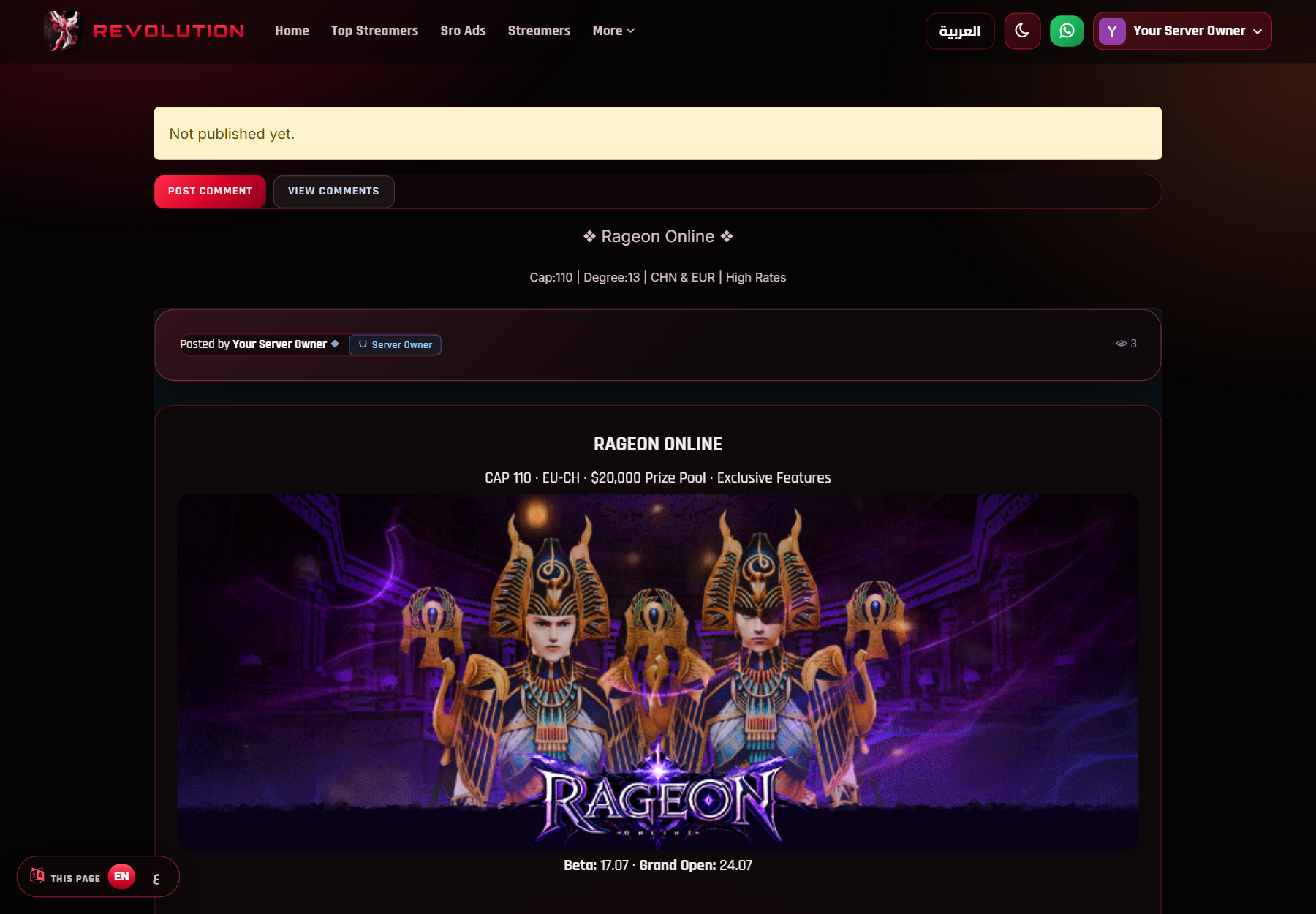
٢محتاج إيه الأول؟
وبنر لسه محفوظ draft مش محسوب — لازم تبعته للمراجعة ويتقبل.
٣من الموقع
- سجّل دخول على rev-gg.com بالديسكورد بتاعك.
- افتح My Servers واختار سيرفرك ودوس Edit.
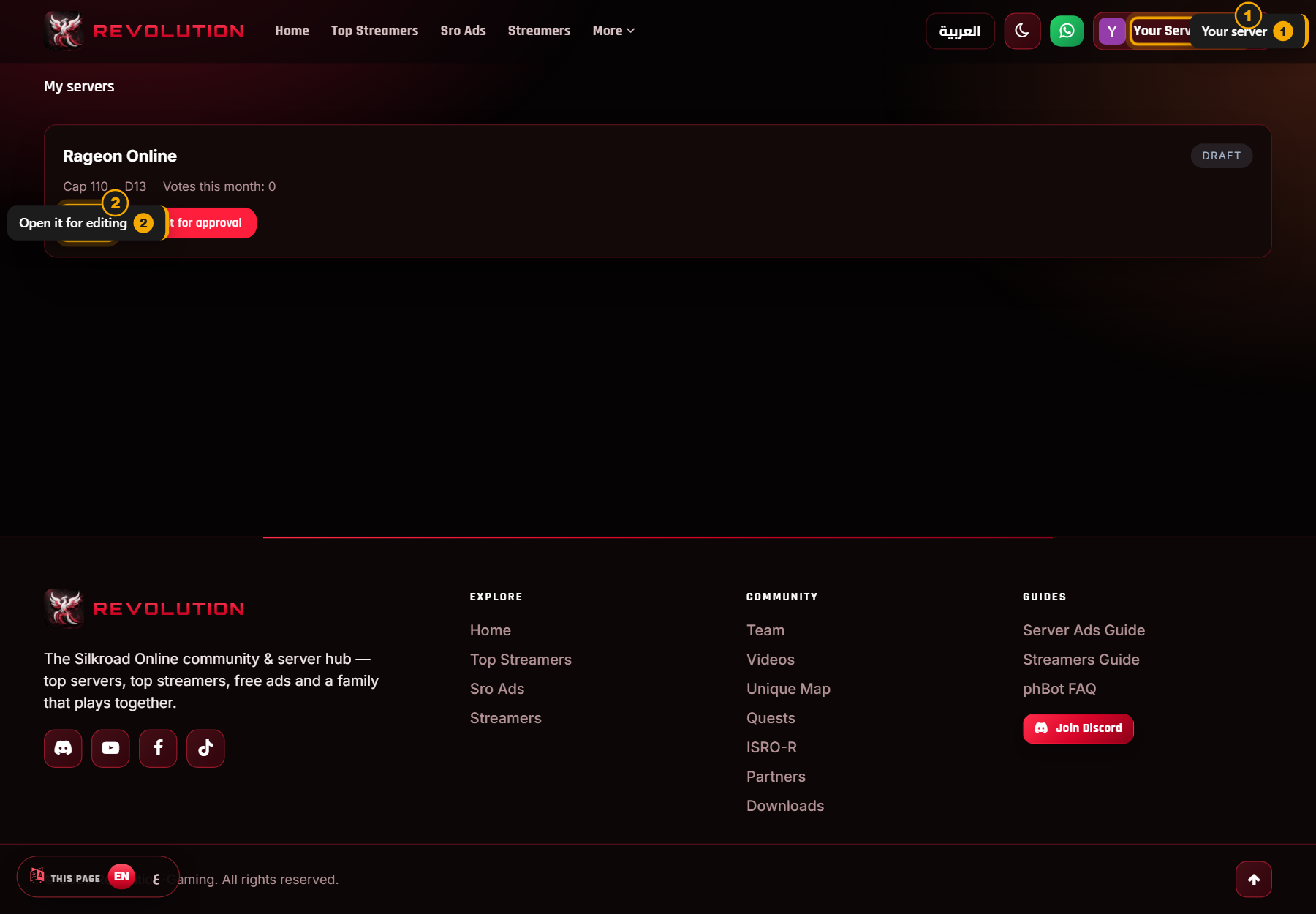
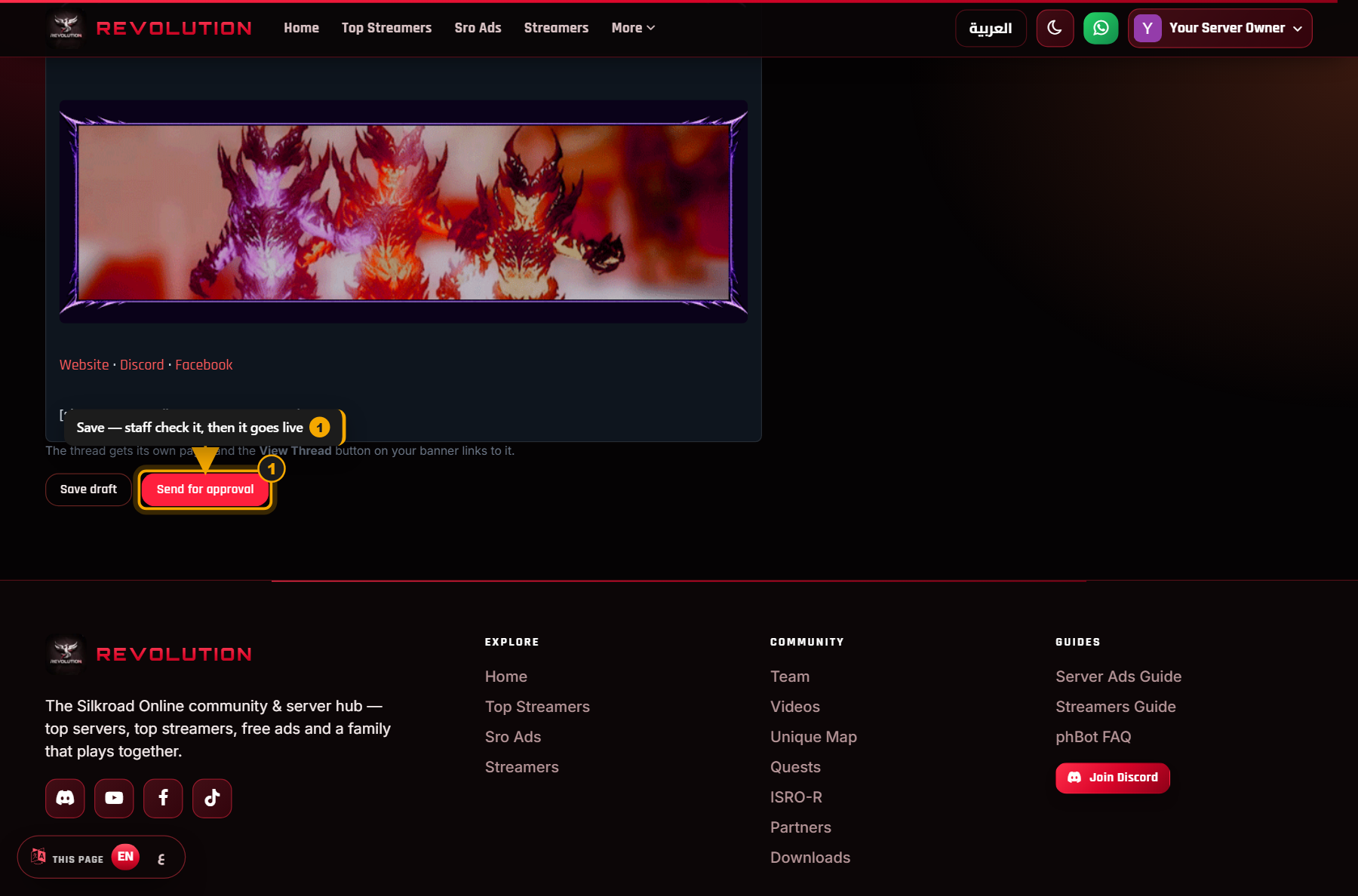
- انزل تحت لحد خانة Your thread واكتب فيها.
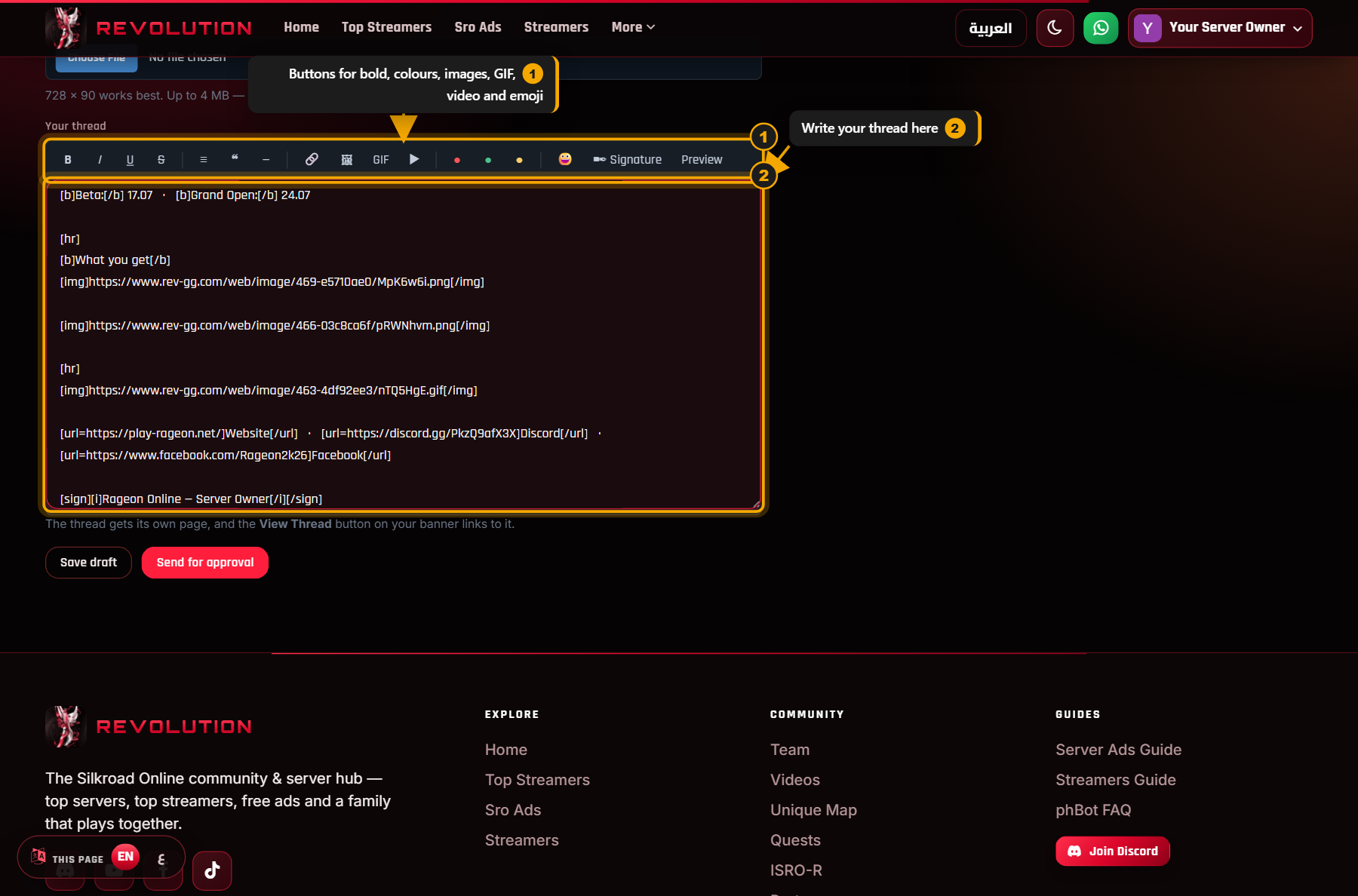
- دوس Preview تشوف الشكل النهائي قبل ما تبعت.
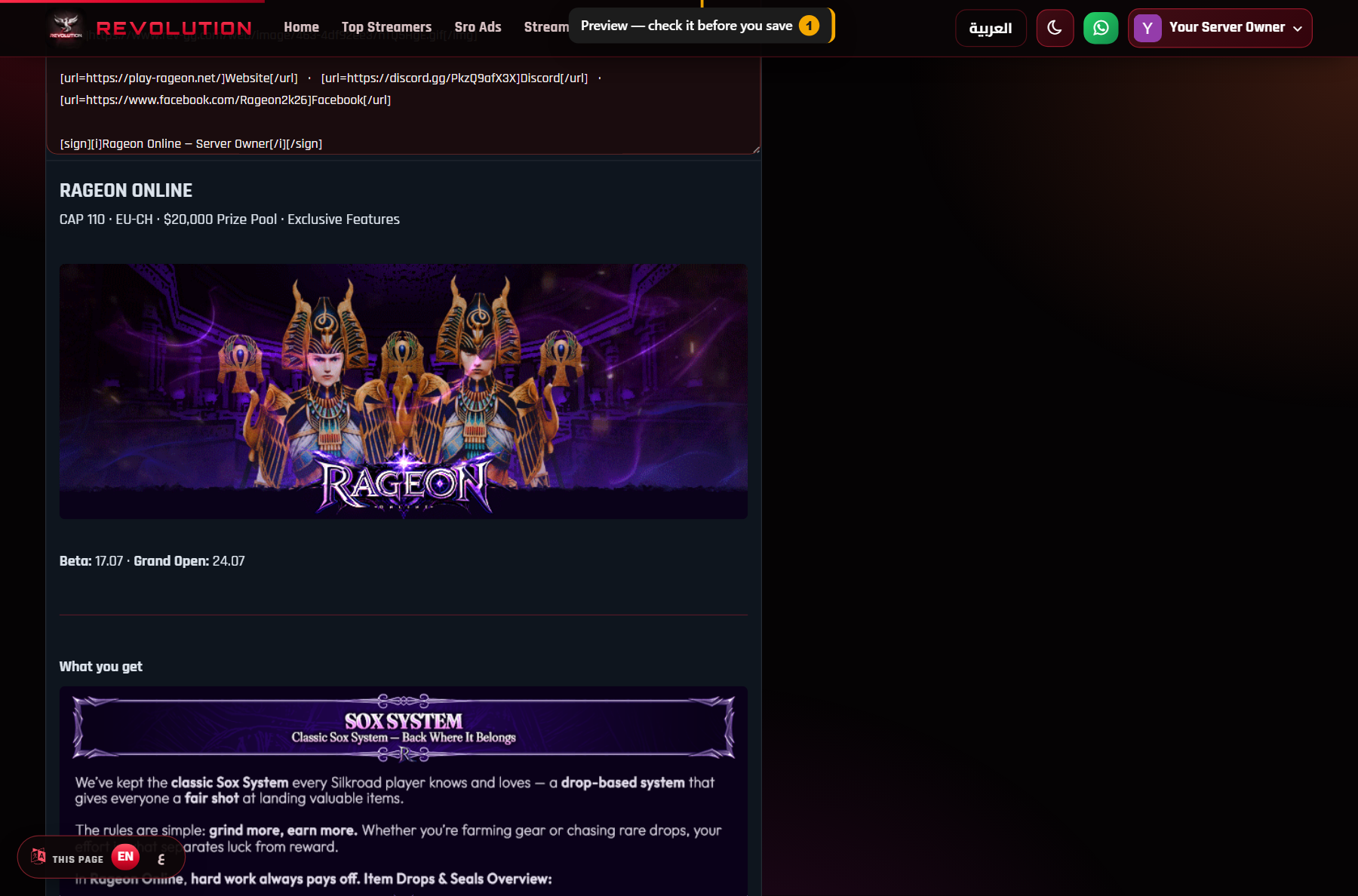
- Save draft بتحفظه عندك من غير ما حد يشوفه.
- Send for approval بتبعته للإدارة — أول ما يتقبل يبقى شغّال.
٤أو من الديسكورد
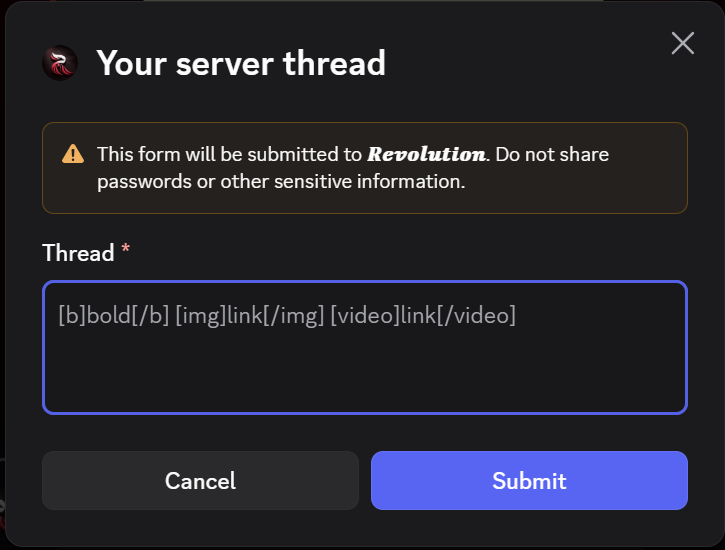
مش لازم تفتح الموقع. اكتب /thread في أي روم
عندنا في الديسكورد.

البوت هيلاقي سيرفرك لوحده ويفتحلك مكان تكتب فيه، ويحفظه على صفحتك على طول.
٥الأكواد
الأزرار بتكتبها لك، بس لو حابب تكتبها بإيدك:
| تكتب | يطلع |
|---|---|
[b]كلام[/b] | خط عريض |
[i]كلام[/i] | مايل |
[color=#ff5555]كلام[/color] | كلام ملوّن |
[size=22]كلام[/size] | حجم أكبر |
[img]لينك الصورة[/img] | صورة |
[video]لينك يوتيوب[/video] | فيديو يتشغّل |
[url=لينك]كلام[/url] | لينك |
[quote]كلام[/quote] | اقتباس |
[hr] | خط فاصل |
[sign]كلام[/sign] | توقيع — ناحية اليمين |
؟أسئلة بتتسأل كتير
أعدّل ثريدي بعدين؟
أيوه، في أي وقت — من نفس الخانة أو /thread.
وأي تعديل بيعدّي على المراجعة تاني.
ليه بنرى يرجع «مستني موافقة» لما أكتب؟
عشان الإدارة تشوف اللي اتكتب قبل ما ينزل. ده نفس اللي بيحصل لو عدّلت أي حاجة في بنرك.
اللاعيبة لازم يسجّلوا دخول عشان يشوفوا الثريد؟
الصفحة مفتوحة للكل، بس الصور وأزرار الكومنت بتظهر للمسجّلين بس.
أحط كام صورة؟
زي ما تحب. حاول تستخدم لينكات صور ثابتة — لو اللينك وقع الصورة هتختفي من ثريدك.
شيلت نص الثريد، هيحصل إيه؟
زرار Thread بيختفي من بنرك والصفحة بتقفل. بنرك يفضل زي ما هو.
Give your server its own thread
Your banner gets you noticed. A thread gets you read — one full page for your server with your write-up, images, video and links, and a place where players can reply to you.
1What is a thread?
rev-gg.com/thread/your-server
2What you need first
A banner you only saved as a draft doesn't count yet — send it for approval and wait until it's accepted.
3On the site
- Sign in at rev-gg.com with your Discord account.
- Open My Servers, pick your server and hit Edit.
- Scroll down to Your thread and write.
- Hit Preview to see exactly how it will look.
- Save draft keeps it private while you work on it.
- Send for approval sends it to staff — once it's approved it goes live.
4Or on Discord
You don't have to open the site. Type /thread in any
channel on our Discord.
The bot finds your server, opens a box for you to write in, and saves it straight to your page.
5The codes
The buttons write these for you, but you can type them yourself:
| You write | You get |
|---|---|
[b]text[/b] | Bold |
[i]text[/i] | Italic |
[color=#ff5555]text[/color] | Coloured text |
[size=22]text[/size] | Bigger text |
[img]image link[/img] | An image |
[video]youtube link[/video] | A playable video |
[url=link]text[/url] | A link |
[quote]text[/quote] | A quote |
[hr] | A divider |
[sign]text[/sign] | Signature — sits on the right |
?FAQ
Can I edit it later?
Yes, any time — from the same box or with /thread.
Every edit goes through review again.
Why does my banner go back to "waiting for approval"?
So staff can read what you wrote before it goes public. It's the same for any edit to your banner.
Do players need an account to read it?
The page is open to everyone, but images and the comment buttons only show for signed-in members.
How many images can I add?
As many as you like. Use links that won't expire — if a link dies, the image disappears from your thread.
What if I clear the thread?
The Thread button disappears from your banner and the page closes. Your banner stays exactly as it is.